
Download Jobscan – AI Resume Checker & Job Search Tool
Overview
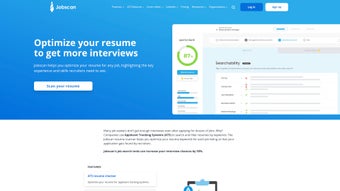
Jobscan is an AI‑driven web application built specifically for job seekers who want to turn their résumé into a high‑performing, recruiter‑friendly document. By leveraging proprietary artificial‑intelligence algorithms, Jobscan reads a target job posting, extracts the most important keywords, skills, and qualifications, and then compares them against the content of the candidate’s résumé. The result is a clear match‑rate score, a detailed heat‑map that highlights gaps, and actionable suggestions to improve alignment with Applicant Tracking Systems (ATS). Beyond the core résumé‑matching engine, Jobscan bundles a suite of interactive tools—including a résumé builder, cover‑letter optimizer, and LinkedIn profile enhancer—that help users polish every facet of their job‑search presence. Users consistently praise the platform for its data‑backed recommendations, which translate into higher interview call‑backs and faster job placement. Whether you’re a fresh graduate, a mid‑career professional, or a seasoned executive, Jobscan offers a systematic, measurable way to boost the effectiveness of your applications without the guesswork of traditional résumé tweaking.
Key Features
- AI‑Powered Match Analysis: Real‑time comparison of résumé content with any job description, delivering a match‑rate percentage and visual heat‑map.
- ATS Optimization: Built‑in guidance on keyword placement, formatting, and phrasing that help your résumé pass through common ATS filters.
- Resume Builder: Drag‑and‑drop editor with industry‑specific templates that automatically incorporate AI suggestions.
- Cover Letter Optimizer: Tailors cover letters to the same job posting, ensuring consistent messaging across application materials.
- LinkedIn Profile Enhancer: Analyzes your LinkedIn summary and experience sections, recommending keyword‑rich revisions to improve recruiter visibility.
- Job Search Dashboard: Central hub that tracks multiple applications, match scores, and progress notes in one place.
- Bulk Upload & Compare: Upload several résumés at once to see which version performs best for a given posting.
- Regular Updates & Industry Insights: Monthly data reports on emerging recruiter trends, keyword shifts, and ATS algorithm changes.
Installation, Compatibility & How to Use Jobscan
Installation & Usage Instructions
Jobscan is a cloud‑based service, which means there is no traditional “download and install” process. To get started, simply visit www.jobscan.co and create a free account using your email address or a Google/LinkedIn sign‑in. After confirming your account, you’ll land on the main dashboard where you can begin uploading documents.
- Upload Your Résumé: Click the “Upload Résumé” button, select a PDF, DOCX, or plain‑text file, and let the platform parse the content. The AI will automatically extract headings, bullet points, and keywords.
- Paste the Job Posting: Copy the full text of the job description from the employer’s website and paste it into the designated field. Jobscan supports postings up to 10,000 characters, covering most standard listings.
- Generate the Match Report: Press “Analyze” and wait a few seconds while the AI runs its comparison. You’ll receive a match‑rate score (e.g., 68 %) alongside a heat‑map that highlights strong matches in green and missing keywords in red.
- Apply Recommendations: Review the “Suggested Edits” panel. Each recommendation includes a brief rationale (e.g., “Add ‘project management’ to meet the senior‑level requirement”). Click “Apply” to automatically insert suggested phrasing into the built‑in résumé editor.
- Export & Submit: Once satisfied, export the revised résumé as PDF or DOCX. You can also share a direct link with recruiters or push the updated file to your LinkedIn profile using the integrated LinkedIn enhancer.
The entire workflow is designed to be intuitive, with progress bars, tooltips, and a “Help” icon that opens a live chat with Jobscan support agents. For power users, the “Bulk Upload” feature lets you compare multiple résumé versions across several job postings, revealing which combination yields the highest match rate.
Compatibility
Jobscan runs on any modern web browser, including Chrome, Firefox, Safari, Edge, and Opera. Because it is a SaaS platform, it works seamlessly on Windows 10/11, macOS, Linux desktops, as well as Android and iOS mobile devices. No additional plugins or software installations are required, making it a truly cross‑platform solution for job seekers on the go.
Pros and Cons
Pros
- Instant, data‑driven match scores eliminate guesswork.
- Comprehensive suite (résumé, cover letter, LinkedIn) keeps all application assets aligned.
- Cloud‑based accessibility from any device without installation.
- ATS‑specific recommendations improve deliverability to recruiters.
- Free tier provides basic analysis; premium plans unlock unlimited scans and advanced templates.
- Regular industry updates keep keyword suggestions current.
- User‑friendly interface with drag‑and‑drop editing.
Cons
- Full feature set (unlimited scans, bulk upload) requires a paid subscription.
- Analysis is limited to English language job postings; non‑English listings receive reduced accuracy.
- Heavy reliance on keyword matching may overlook nuanced soft‑skill fit.
- Some users report a learning curve when customizing templates beyond the default suggestions.
- Exported PDFs sometimes retain hidden formatting artifacts that need a quick cleanup.
Frequently Asked Questions
Is Jobscan free or paid?
Jobscan offers a free tier that allows up to three résumé scans per month, which is enough for occasional users. For unlimited scans, bulk upload, premium templates, and advanced ATS guidance, a subscription starting at $49.95 per month is required.
Can I use Jobscan on my mobile phone?
Yes. Because Jobscan is a web‑based platform, you can access all features from any modern mobile browser on Android or iOS. The responsive design ensures the résumé editor and match report display correctly on smaller screens.
Does Jobscan guarantee an interview?
No tool can guarantee an interview, but Jobscan significantly improves your chances by aligning your résumé with the exact language recruiters and ATS use. Users typically see a 20‑30 % increase in interview callbacks after applying the suggested changes.
How does Jobscan handle privacy and data security?
Jobscan employs SSL encryption for all data transfers and stores uploaded documents on secure, GDPR‑compliant servers. Documents are automatically deleted after 30 days unless you choose to keep them in your personal account.
Can I analyze a LinkedIn profile without a résumé?
Yes. The LinkedIn Profile Enhancer lets you import your public LinkedIn URL, and the AI will evaluate the profile against a job posting, offering keyword suggestions and formatting tips to boost visibility in recruiter searches.
Conclusion & Call to Action
Jobscan stands out as one of the most practical AI‑driven tools for modern job seekers. By turning the vague art of résumé writing into a measurable, data‑backed process, it empowers candidates to speak the same language as recruiters and ATS algorithms. The platform’s integrated suite—including résumé, cover‑letter, and LinkedIn optimizers—eliminates the need for multiple disparate services, saving both time and money. While the premium subscription is an additional expense, the ROI is evident in higher match scores and a noticeable uptick in interview invitations. Whether you’re navigating a career change, targeting a specific industry, or simply want to ensure every application is polished, Jobscan provides the systematic edge you need. Ready to boost your job‑search performance? Start your free trial today and see how a smarter résumé can open doors to the opportunities you deserve.



.png)



